How to Boost Your AI Workflow Speed by 3.75x (Almost)Как вырастить скорость работы с ИИ в 3.75 раза (ну почти)
People speak English at an average of 150 words per minute, but type at 40 words per minute. That’s 3.8x faster.
Typing is slow and awkward (unless you’re in a library or a quiet corner of the office), so when you’re chatting with an LLM via text, you give it the bare minimum of context — and spend a significant chunk of time doing even that.
Hence the solution: dictate by voice. It’s fast, effortless, you give more context, and as a result you get better answers and solutions.
Now that I’ve hopefully sold you on switching to voice input, let me share my experience and the best tool I’ve found.
I started with macOS’s built-in voice input. It works in the terminal too, so you can use it with Claude Code. In English it’s decent; in Russian it’s pretty bad — you end up correcting a lot.
On a recommendation, and taking cues from Andrej Karpathy himself, I tested superwhisper. It looks great, but the default model performed even worse in Russian than the built-in macOS input.
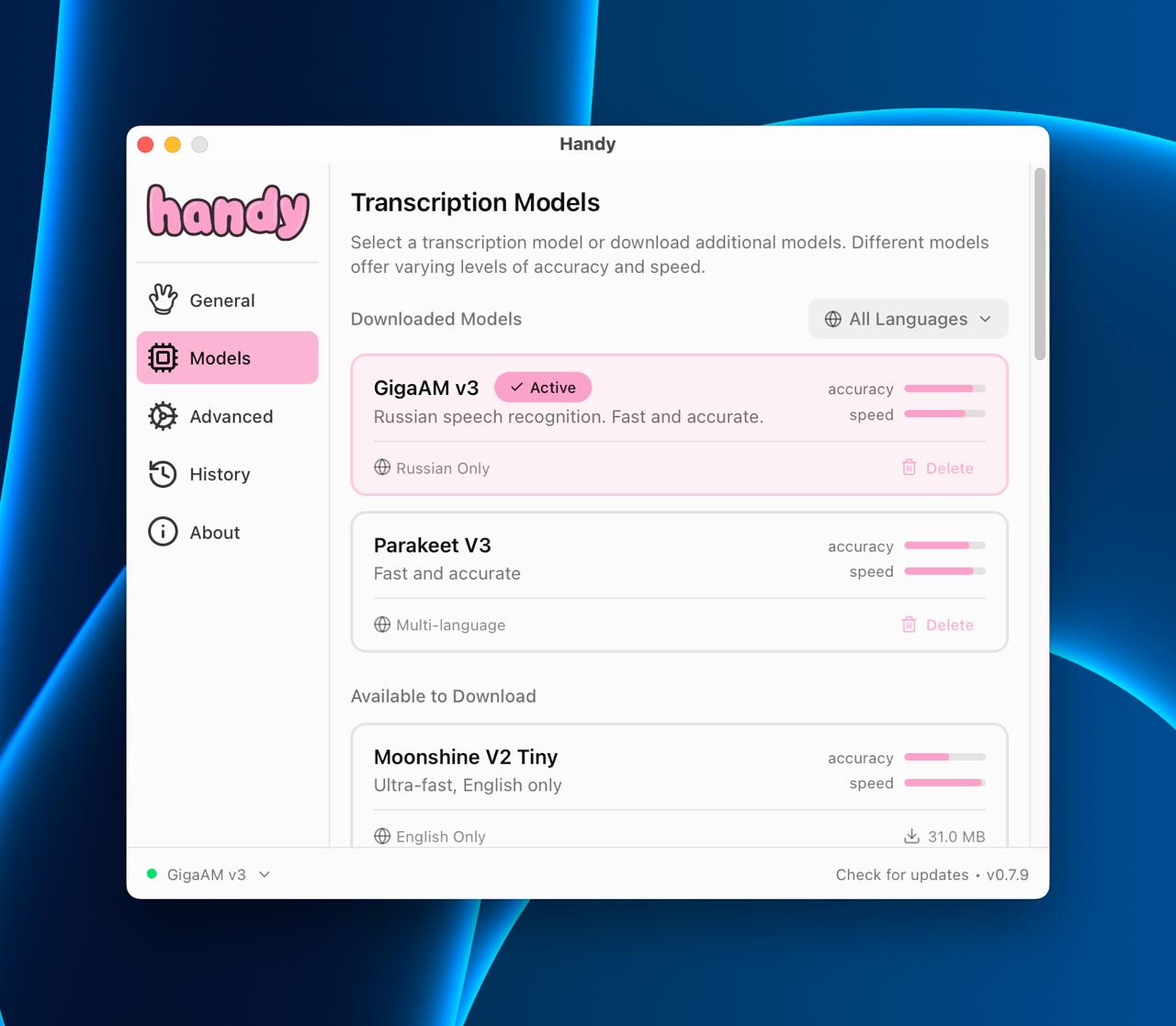
Out of mild desperation, I tried an open-source solution called Handy, using the GigaAM v3 model from Sber — and I genuinely loved it. Russian is recognized fast and accurately. It does struggle with English loanwords though, so you have to mentally switch to Russian equivalents. Still, it’s the best thing I’ve tried so far.
They also have a well-reviewed Parakeet V3 model that’s reportedly strong in both English and Russian — I’m thinking of testing that next. Russian accuracy might take a hit, but at least you’d be able to use English words freely.
Люди говорят в среднем на английском со скоростью 150 слов в минуту, а печатают 40 слов в минуту. То есть говорить в 3.8 раз быстрее.
Набирать текст на клавиатуре долго и неудобно (если ты не в библиотеке или в тихой части офиса), поэтому когда ты печатаешь в чате с ЛЛМ, ты даешь минимум необходимого контекста и тратишь на это существенное время.
Отсюда решение - диктовать голосом. Быстро, просто, даешь больше контекста, а следовательно, получаешь качественнее ответы/решения.
Ну теперь, когда я, надеюсь, продал вам необходимость перейти на voice input, расскажу про свой опыт и лучшее решение.
Начал я со встроенного голосового ввода в macOS. Он работает и в терминале, так что пользоваться можно с claude code. Однако, на английском работает более-менее, на русском совсем плохо, часто приходится много исправлять.
По рекомендации, а также учитывая референс самого Андрея Карпатого, я затестил superwhisper. Выглядит классно, но на русском работала дефолтная модель еще хуже, чем встроенный macOS инпут.
От легкого отчаяния, я затестил open-source решение Handy, а в нём модель GigaAM v3 от сбера и прямо кайфанул, поскольку русский язык определяется быстро и качественно. С англицизмами, правда, не очень, приходится вспомнить русские альтернативы. Все равно это пока лучшее, что я пробовал.
У них еще по отзывам клевая модель Parakeet V3, хороша как в английском, так и русском - думаю, ее тоже затестить. Русский будет хуже, зато можно будет английские слова также использовать.